Add the 10 Words Widget
Put a fresh word and sentence right on your Home Screen. It's a gentle nudge to review all day — no need to even open the app. Here's how to add it in three quick steps.
-
1
Open the widget menu
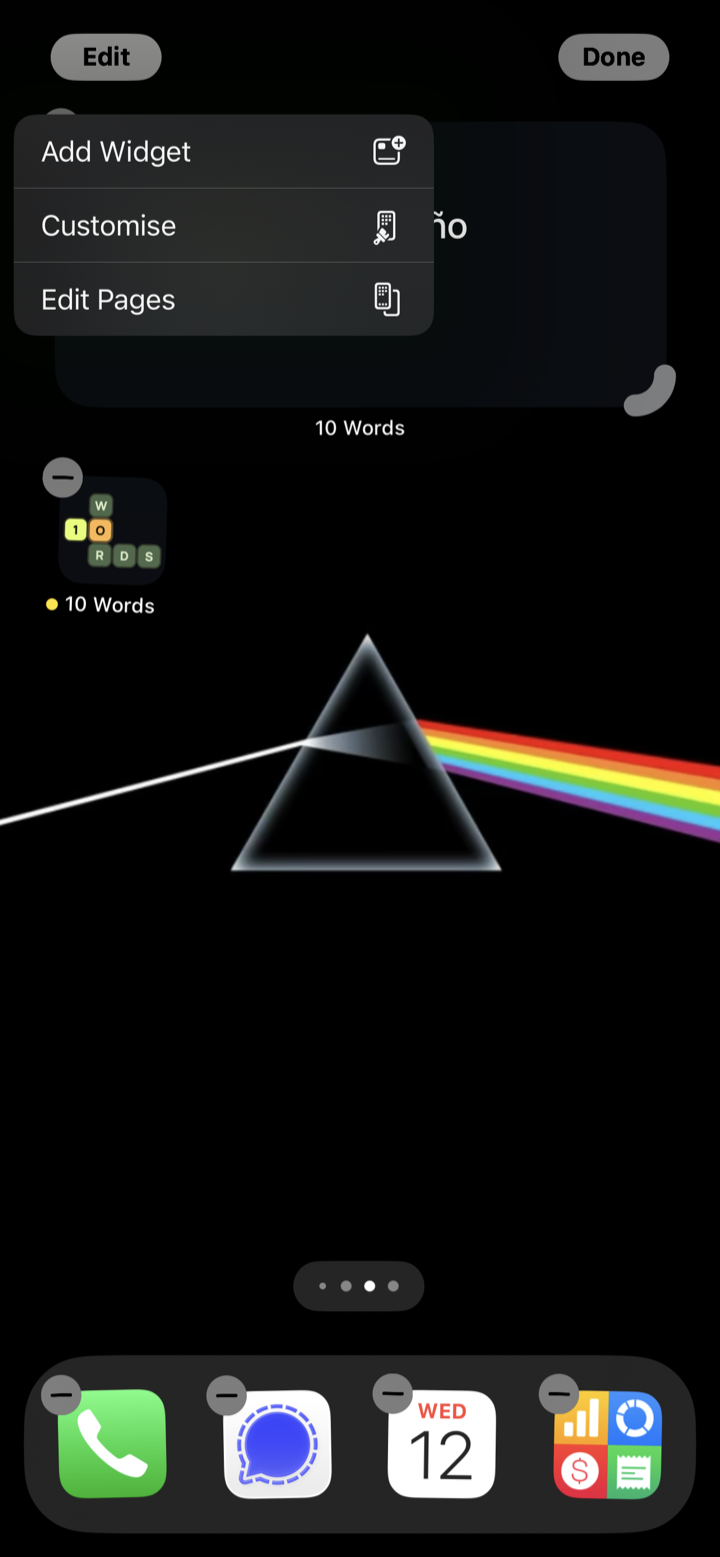
Touch and hold an empty area of your Home Screen until the icons start to jiggle. Tap Edit in the top-left corner, then choose Add Widget.
-
2
Find 10 Words
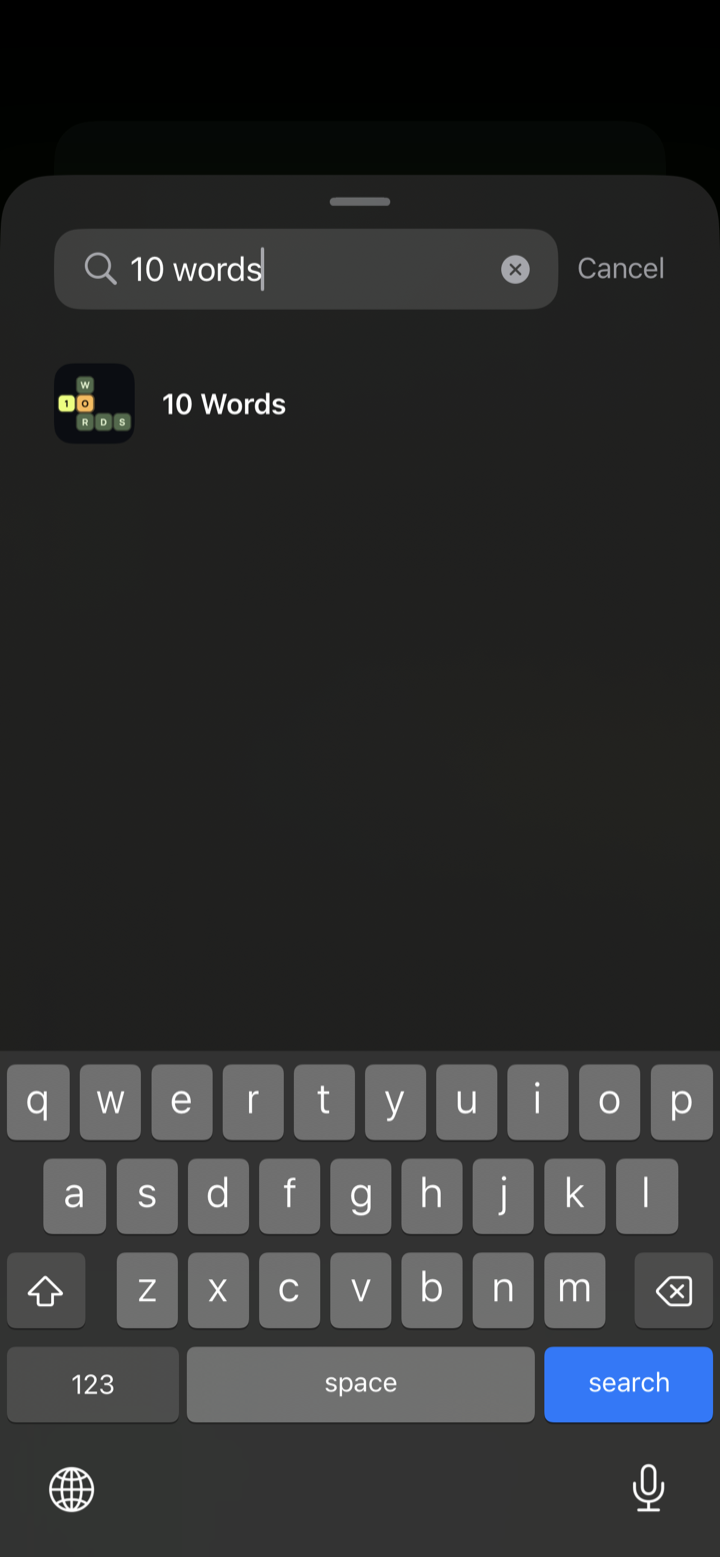
In the widget gallery, type 10 Words into the search box and tap the 10 Words app in the results.
-
3
Add it and you're done
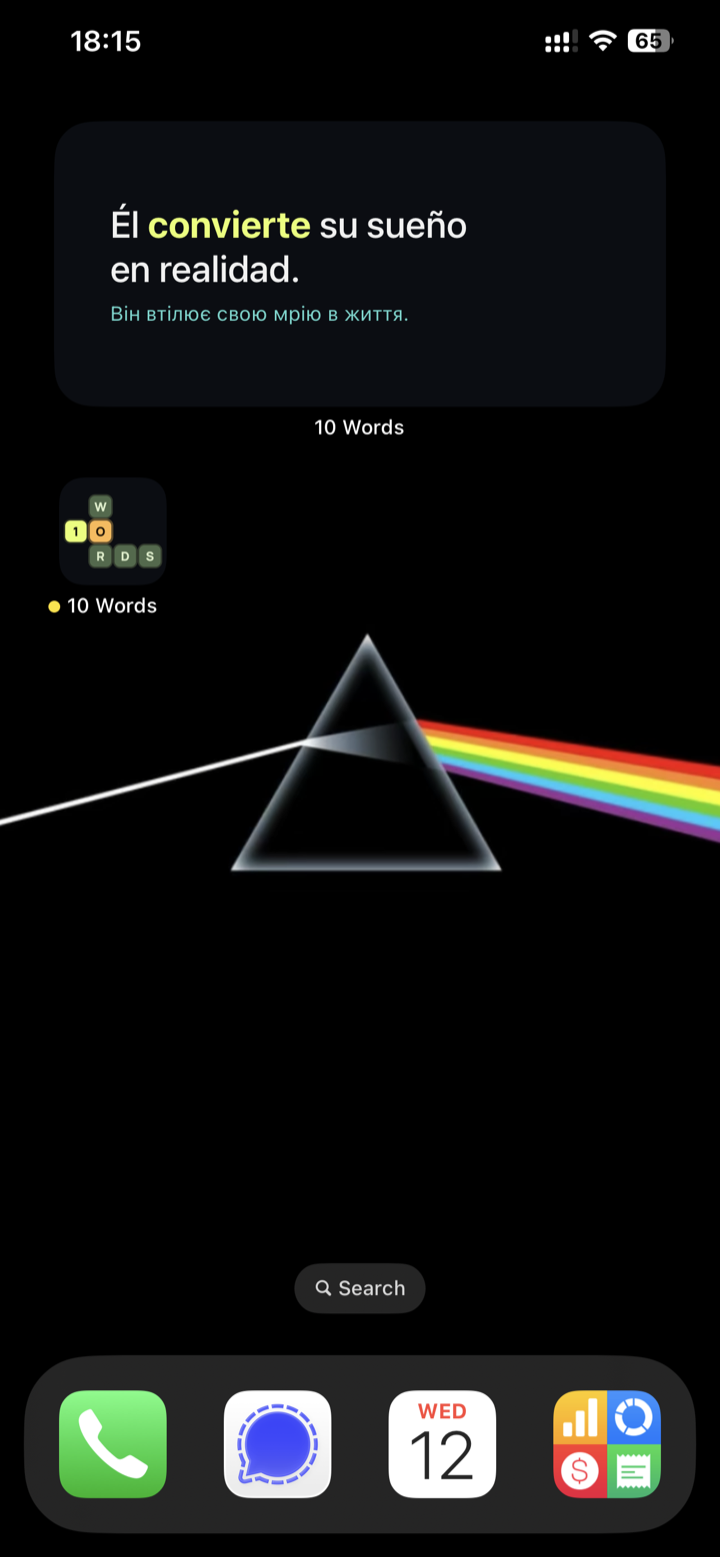
Pick the size you like, tap Add Widget, then tap Done. Your new word is now waiting on the Home Screen.
Tip: tap the widget any time to open that word in the app.
Don't have the app yet?
Add the widget after you install 10 Words — free on the App Store.
Get 10 Words